← All alternatives

Email sequence alternatives

ActiveCampaign alternatives for email sequences

A sequence is not just a row of messages and delays. Choose the replacement by the trigger, identity, stop rule, consent boundary, delivery feedback, and business outcome that must remain correct.

Use this page when the current ActiveCampaign setup is difficult to operate, too narrow for the next lifecycle stage, or poorly matched to the team’s data. First document one real journey: its entry event, recipient or account identity, waits, branches, suppression rules, exit event, and conversion definition.

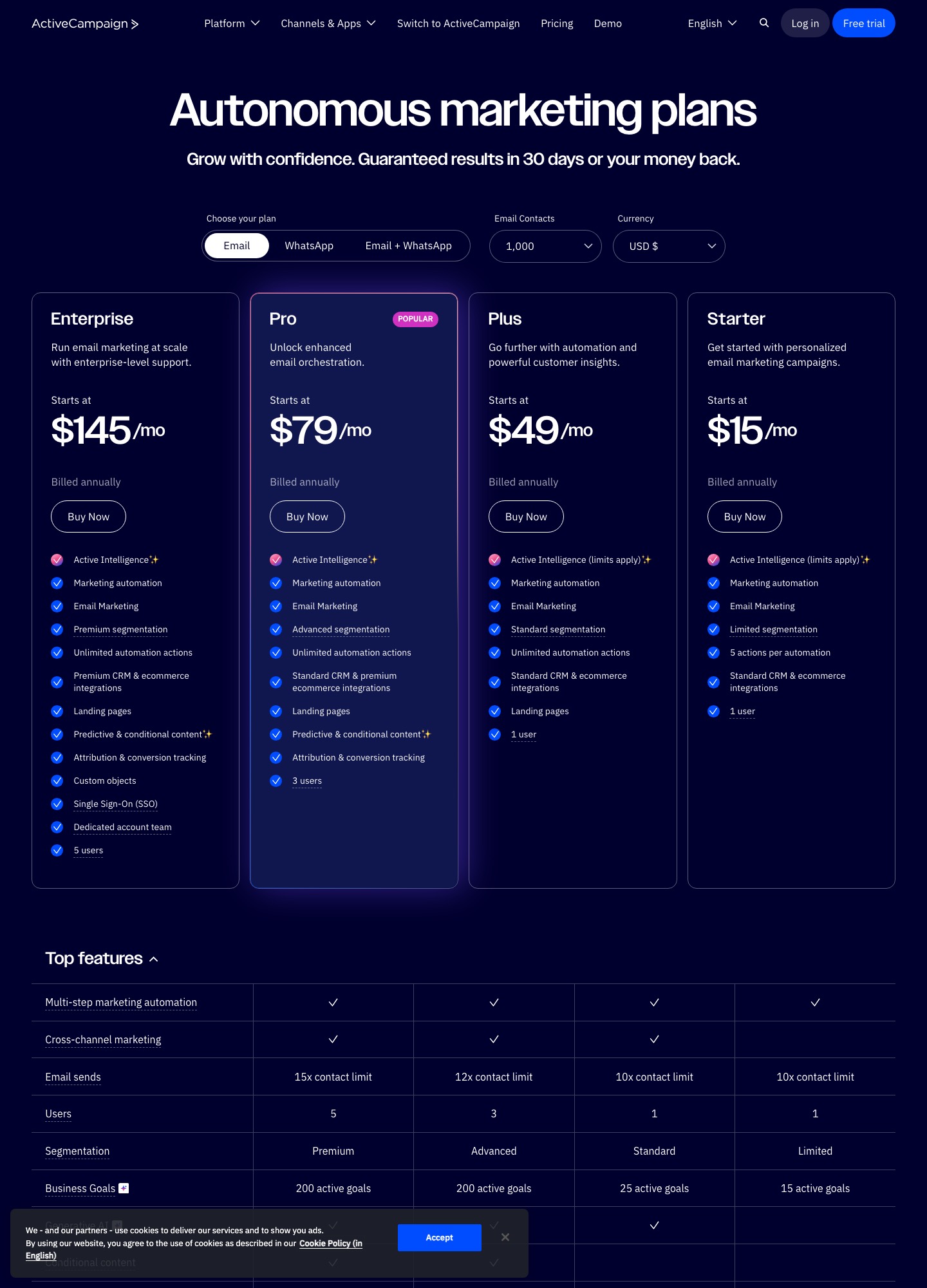
Pricing and limits change by contacts, sends, events, seats, channels, or contract. The official ActiveCampaign site is the source for current terms. The profiles below are editorial fits and bounded tests, not promises that every feature is included on every plan.

Sequence jobShortlistEvidence that decides
SaaS behaviorCustomer.io, Loops, Userlist, SequenzyEvent replay, identity merge, account context, activation exit
Sales and CRMActiveCampaign, HubSpotOwnership changes, meeting status, scoring, suppression
CommerceKlaviyo, Drip, OmnisendCatalog freshness, purchase exit, consent, revenue attribution
Operational deliveryResend, Postmark, SendGridRetries, bounces, webhooks, streams, and template ownership

15 ActiveCampaign alternatives

PlatformBest forFirst pilot
Customer.ioevent-driven SaaS onboarding and behavior-based journeysReplay sanitized events for one onboarding cohort, including a duplicate and a late event.
MailerLitesmall teams building welcome and newsletter sequences without a complex data layerCreate two signup sources and a welcome flow with different first messages.
Kitcreators and publishers turning recurring content into subscriber sequencesRun a lead magnet sequence with two acquisition tags, a product recommendation, and a purchase exit.
Sequenzyteams combining campaigns, lifecycle sequences, and revenue-aware email in one focused workspaceBuild one trial-to-paid sequence with a billing exit and a separate service-message path.
UserlistB2B SaaS onboarding where account, plan, and user roles matterCreate a trial account with an admin and member, change its plan, and confirm role-specific messages and account-level exits behave as intended.
Loopslean product-led onboarding with a small number of focused lifecycle journeysInstrument signup, first value event, and subscription.
HubSpotsequence workflows that must share CRM ownership and sales contextRun one sales-assist sequence in a test portal, changing owner, lifecycle stage, and meeting status.
Brevoteams coordinating email sequences with transactional delivery or additional channelsTest a welcome sequence, a transactional receipt, and an SMS opt-out on the same profile.
Klaviyocommerce sequences driven by browsing, cart, order, and product dataRebuild browse-to-purchase and post-purchase sequences on a test catalog.
Dripdirect-to-consumer sequences centered on customer behavior and repeat purchaseRun a product-interest sequence through purchase and repeat purchase.
Omnisendecommerce sequences spanning email and SMS with channel-aware frequency rulesUse separate email and SMS test permissions in a cart-recovery flow.
Resendcode-owned transactional sequences such as invites, receipts, and verificationExercise accepted, rejected, bounced, and retried messages from staging.
Postmarkhigh-confidence transactional sequences separated by message streamSend four transactional message types through separate streams and inspect delivery, bounce, suppression, and history for each test recipient.
SendGridhigh-volume API sequences alongside a distinct marketing surfaceRun one API sequence and one marketing sequence using separate sender identities and unsubscribe groups.

1. Customer.io as a ActiveCampaign alternative

Best for: event-driven SaaS onboarding and behavior-based journeys. Its sequence model is strongest when a message follows a product event—activation, feature use, downgrade, or inactivity—instead of simply following a calendar. For a ActiveCampaign migration, that difference matters because a sequence that looks identical in an editor can still enroll the wrong identity or fail to stop at the right moment.

Implementation trade-off: Engineering ownership is part of the purchase: event names, identity merging, late events, and stop conditions must be designed and monitored. A migration should preserve consent metadata, fields, suppression state, timing semantics, template ownership, and downstream reporting—not only the visible copy.

Pros: a defined operating model and a measurable pilot. Cons: data mapping, deliverability, permissions, and historical reporting still require ownership. Check current pricing and limits with the official Customer.io documentation.

Decision areaWhat to verifyFailure signal
Trigger and identityOne real event, recipient/account relationship, and replay pathDuplicate or late events enroll the wrong person
GovernanceConsent, unsubscribe, frequency, and transactional separationA suppressed recipient remains eligible
EconomicsActual contacts, sends, events, channels, seats, and supportGrowth forces a plan or workflow change

Bounded pilot

Replay sanitized events for one onboarding cohort, including a duplicate and a late event. Pass only when the right message starts and the activated user exits. The pass condition is that trigger, identity, consent, delivery feedback, exit, and reporting agree for the same test record. Do not cut over until the old sequence can be paused and rolled back safely.

Browse all alternatives · Compare email tools · Read the email sequence guide

2. MailerLite as a ActiveCampaign alternative

Best for: small teams building welcome and newsletter sequences without a complex data layer. MailerLite is a sensible fit when the trigger is a form, tag, or basic field and the team values a short path from signup to first email. For a ActiveCampaign migration, that difference matters because a sequence that looks identical in an editor can still enroll the wrong identity or fail to stop at the right moment.

Implementation trade-off: It may not be enough when sequence eligibility depends on rich product events, account relationships, or operational webhooks. A migration should preserve consent metadata, fields, suppression state, timing semantics, template ownership, and downstream reporting—not only the visible copy.

Pros: a defined operating model and a measurable pilot. Cons: data mapping, deliverability, permissions, and historical reporting still require ownership. Check current pricing and limits with the official MailerLite documentation.

Decision areaWhat to verifyFailure signal
Trigger and identityOne real event, recipient/account relationship, and replay pathDuplicate or late events enroll the wrong person
GovernanceConsent, unsubscribe, frequency, and transactional separationA suppressed recipient remains eligible
EconomicsActual contacts, sends, events, channels, seats, and supportGrowth forces a plan or workflow change

Bounded pilot

Create two signup sources and a welcome flow with different first messages. Test consent capture, delay behavior, link tracking, and unsubscribe. The pass condition is that trigger, identity, consent, delivery feedback, exit, and reporting agree for the same test record. Do not cut over until the old sequence can be paused and rolled back safely.

Browse all alternatives · Compare email tools · Read the email sequence guide

3. Kit as a ActiveCampaign alternative

Best for: creators and publishers turning recurring content into subscriber sequences. Kit’s sequence use case starts with audience growth, tagging, and editorial publishing. It is more natural for a creator funnel than for a product telemetry pipeline. For a ActiveCampaign migration, that difference matters because a sequence that looks identical in an editor can still enroll the wrong identity or fail to stop at the right moment.

Implementation trade-off: Teams moving from a creator tool to SaaS lifecycle messaging may lose account, plan, and product-event context unless another system supplies it. A migration should preserve consent metadata, fields, suppression state, timing semantics, template ownership, and downstream reporting—not only the visible copy.

Pros: a defined operating model and a measurable pilot. Cons: data mapping, deliverability, permissions, and historical reporting still require ownership. Check current pricing and limits with the official Kit documentation.

Decision areaWhat to verifyFailure signal
Trigger and identityOne real event, recipient/account relationship, and replay pathDuplicate or late events enroll the wrong person
GovernanceConsent, unsubscribe, frequency, and transactional separationA suppressed recipient remains eligible
EconomicsActual contacts, sends, events, channels, seats, and supportGrowth forces a plan or workflow change

Bounded pilot

Run a lead magnet sequence with two acquisition tags, a product recommendation, and a purchase exit. Compare source attribution before migrating the whole list. The pass condition is that trigger, identity, consent, delivery feedback, exit, and reporting agree for the same test record. Do not cut over until the old sequence can be paused and rolled back safely.

Browse all alternatives · Compare email tools · Read the email sequence guide

4. Sequenzy as a ActiveCampaign alternative

Best for: teams combining campaigns, lifecycle sequences, and revenue-aware email in one focused workspace. It is relevant when the sequence is part of a broader commercial workflow: trial education, billing changes, reactivation, and campaign follow-up need shared ownership. For a ActiveCampaign migration, that difference matters because a sequence that looks identical in an editor can still enroll the wrong identity or fail to stop at the right moment.

Implementation trade-off: Validate the exact integrations, event fields, roles, and reporting your team needs; a focused platform should be judged on the concrete workflow rather than a broad feature promise. A migration should preserve consent metadata, fields, suppression state, timing semantics, template ownership, and downstream reporting—not only the visible copy.

Pros: a defined operating model and a measurable pilot. Cons: data mapping, deliverability, permissions, and historical reporting still require ownership. Check current pricing and limits with the official Sequenzy documentation.

Decision areaWhat to verifyFailure signal
Trigger and identityOne real event, recipient/account relationship, and replay pathDuplicate or late events enroll the wrong person
GovernanceConsent, unsubscribe, frequency, and transactional separationA suppressed recipient remains eligible
EconomicsActual contacts, sends, events, channels, seats, and supportGrowth forces a plan or workflow change

Bounded pilot

Build one trial-to-paid sequence with a billing exit and a separate service-message path. Verify identity, consent, stop rules, and conversion reporting. The pass condition is that trigger, identity, consent, delivery feedback, exit, and reporting agree for the same test record. Do not cut over until the old sequence can be paused and rolled back safely.

Browse all alternatives · Compare email tools · Read the email sequence guide

5. Userlist as a ActiveCampaign alternative

Best for: B2B SaaS onboarding where account, plan, and user roles matter. Userlist is designed for the question “what should this user or company learn next?” That makes it useful for account adoption and customer education sequences. For a ActiveCampaign migration, that difference matters because a sequence that looks identical in an editor can still enroll the wrong identity or fail to stop at the right moment.

Implementation trade-off: It is less natural for catalogs, high-volume transactional delivery, or a publication with many unrelated subscriber journeys. A migration should preserve consent metadata, fields, suppression state, timing semantics, template ownership, and downstream reporting—not only the visible copy.

Pros: a defined operating model and a measurable pilot. Cons: data mapping, deliverability, permissions, and historical reporting still require ownership. Check current pricing and limits with the official Userlist documentation.

Decision areaWhat to verifyFailure signal
Trigger and identityOne real event, recipient/account relationship, and replay pathDuplicate or late events enroll the wrong person
GovernanceConsent, unsubscribe, frequency, and transactional separationA suppressed recipient remains eligible
EconomicsActual contacts, sends, events, channels, seats, and supportGrowth forces a plan or workflow change

Bounded pilot

Create a trial account with an admin and member, change its plan, and confirm role-specific messages and account-level exits behave as intended. The pass condition is that trigger, identity, consent, delivery feedback, exit, and reporting agree for the same test record. Do not cut over until the old sequence can be paused and rolled back safely.

Browse all alternatives · Compare email tools · Read the email sequence guide

6. Loops as a ActiveCampaign alternative

Best for: lean product-led onboarding with a small number of focused lifecycle journeys. Loops suits teams that want a compact sequence surface around signup, activation, product announcements, and retention without adopting a full marketing suite. For a ActiveCampaign migration, that difference matters because a sequence that looks identical in an editor can still enroll the wrong identity or fail to stop at the right moment.

Implementation trade-off: Before switching, confirm event ingestion, workspace separation, API behavior, reporting, and the point at which more complex branching requires another system. A migration should preserve consent metadata, fields, suppression state, timing semantics, template ownership, and downstream reporting—not only the visible copy.

Pros: a defined operating model and a measurable pilot. Cons: data mapping, deliverability, permissions, and historical reporting still require ownership. Check current pricing and limits with the official Loops documentation.

Decision areaWhat to verifyFailure signal
Trigger and identityOne real event, recipient/account relationship, and replay pathDuplicate or late events enroll the wrong person
GovernanceConsent, unsubscribe, frequency, and transactional separationA suppressed recipient remains eligible
EconomicsActual contacts, sends, events, channels, seats, and supportGrowth forces a plan or workflow change

Bounded pilot

Instrument signup, first value event, and subscription. Test a three-step onboarding sequence with an activation exit and replayed events. The pass condition is that trigger, identity, consent, delivery feedback, exit, and reporting agree for the same test record. Do not cut over until the old sequence can be paused and rolled back safely.

Browse all alternatives · Compare email tools · Read the email sequence guide

7. HubSpot as a ActiveCampaign alternative

Best for: sequence workflows that must share CRM ownership and sales context. HubSpot is compelling when a sequence should respect lifecycle stage, deal owner, meeting activity, or service status stored on the contact record. For a ActiveCampaign migration, that difference matters because a sequence that looks identical in an editor can still enroll the wrong identity or fail to stop at the right moment.

Implementation trade-off: The suite can be administratively and financially heavier than an email-only tool. Contact tiers and paid modules belong in the model. A migration should preserve consent metadata, fields, suppression state, timing semantics, template ownership, and downstream reporting—not only the visible copy.

Pros: a defined operating model and a measurable pilot. Cons: data mapping, deliverability, permissions, and historical reporting still require ownership. Check current pricing and limits with the official HubSpot documentation.

Decision areaWhat to verifyFailure signal
Trigger and identityOne real event, recipient/account relationship, and replay pathDuplicate or late events enroll the wrong person
GovernanceConsent, unsubscribe, frequency, and transactional separationA suppressed recipient remains eligible
EconomicsActual contacts, sends, events, channels, seats, and supportGrowth forces a plan or workflow change

Bounded pilot

Run one sales-assist sequence in a test portal, changing owner, lifecycle stage, and meeting status. Check enrollment, suppression, task handoff, and attribution. The pass condition is that trigger, identity, consent, delivery feedback, exit, and reporting agree for the same test record. Do not cut over until the old sequence can be paused and rolled back safely.

Browse all alternatives · Compare email tools · Read the email sequence guide

8. Brevo as a ActiveCampaign alternative

Best for: teams coordinating email sequences with transactional delivery or additional channels. Brevo can reduce vendor sprawl when marketing sequences and operational sending are owned together but still need separate consent and sender rules. For a ActiveCampaign migration, that difference matters because a sequence that looks identical in an editor can still enroll the wrong identity or fail to stop at the right moment.

Implementation trade-off: Email, SMS, and transactional permissions are not interchangeable. Channel limits and credit-based pricing can surprise teams that only compare contact counts. A migration should preserve consent metadata, fields, suppression state, timing semantics, template ownership, and downstream reporting—not only the visible copy.

Pros: a defined operating model and a measurable pilot. Cons: data mapping, deliverability, permissions, and historical reporting still require ownership. Check current pricing and limits with the official Brevo documentation.

Decision areaWhat to verifyFailure signal
Trigger and identityOne real event, recipient/account relationship, and replay pathDuplicate or late events enroll the wrong person
GovernanceConsent, unsubscribe, frequency, and transactional separationA suppressed recipient remains eligible
EconomicsActual contacts, sends, events, channels, seats, and supportGrowth forces a plan or workflow change

Bounded pilot

Test a welcome sequence, a transactional receipt, and an SMS opt-out on the same profile. Confirm each permission changes only the intended stream. The pass condition is that trigger, identity, consent, delivery feedback, exit, and reporting agree for the same test record. Do not cut over until the old sequence can be paused and rolled back safely.

Browse all alternatives · Compare email tools · Read the email sequence guide

9. Klaviyo as a ActiveCampaign alternative

Best for: commerce sequences driven by browsing, cart, order, and product data. Klaviyo is a better sequence engine than a generic tool when the next message depends on catalog state, purchase history, replenishment, or customer value. For a ActiveCampaign migration, that difference matters because a sequence that looks identical in an editor can still enroll the wrong identity or fail to stop at the right moment.

Implementation trade-off: A B2B or developer product may pay for a commerce vocabulary it does not use. Profile and event growth also need a 12-month cost model. A migration should preserve consent metadata, fields, suppression state, timing semantics, template ownership, and downstream reporting—not only the visible copy.

Pros: a defined operating model and a measurable pilot. Cons: data mapping, deliverability, permissions, and historical reporting still require ownership. Check current pricing and limits with the official Klaviyo documentation.

Decision areaWhat to verifyFailure signal
Trigger and identityOne real event, recipient/account relationship, and replay pathDuplicate or late events enroll the wrong person
GovernanceConsent, unsubscribe, frequency, and transactional separationA suppressed recipient remains eligible
EconomicsActual contacts, sends, events, channels, seats, and supportGrowth forces a plan or workflow change

Bounded pilot

Rebuild browse-to-purchase and post-purchase sequences on a test catalog. Validate timestamps, dynamic products, purchase exits, and revenue attribution. The pass condition is that trigger, identity, consent, delivery feedback, exit, and reporting agree for the same test record. Do not cut over until the old sequence can be paused and rolled back safely.

Browse all alternatives · Compare email tools · Read the email sequence guide

10. Drip as a ActiveCampaign alternative

Best for: direct-to-consumer sequences centered on customer behavior and repeat purchase. Drip is worth considering when the sequence needs store events and customer-value segmentation, not merely opens and clicks. For a ActiveCampaign migration, that difference matters because a sequence that looks identical in an editor can still enroll the wrong identity or fail to stop at the right moment.

Implementation trade-off: Its strongest concepts are commerce-specific; check integration freshness, coupon logic, consent synchronization, and returning-customer handling. A migration should preserve consent metadata, fields, suppression state, timing semantics, template ownership, and downstream reporting—not only the visible copy.

Pros: a defined operating model and a measurable pilot. Cons: data mapping, deliverability, permissions, and historical reporting still require ownership. Check current pricing and limits with the official Drip documentation.

Decision areaWhat to verifyFailure signal
Trigger and identityOne real event, recipient/account relationship, and replay pathDuplicate or late events enroll the wrong person
GovernanceConsent, unsubscribe, frequency, and transactional separationA suppressed recipient remains eligible
EconomicsActual contacts, sends, events, channels, seats, and supportGrowth forces a plan or workflow change

Bounded pilot

Run a product-interest sequence through purchase and repeat purchase. Verify catalog updates, discounts, suppression, and the cohort report. The pass condition is that trigger, identity, consent, delivery feedback, exit, and reporting agree for the same test record. Do not cut over until the old sequence can be paused and rolled back safely.

Browse all alternatives · Compare email tools · Read the email sequence guide

11. Omnisend as a ActiveCampaign alternative

Best for: ecommerce sequences spanning email and SMS with channel-aware frequency rules. Omnisend fits retailers that want browse, cart, post-purchase, and promotional sequences close to the store while coordinating more than one channel. For a ActiveCampaign migration, that difference matters because a sequence that looks identical in an editor can still enroll the wrong identity or fail to stop at the right moment.

Implementation trade-off: The migration must preserve channel-specific consent and frequency caps. Email permission must never silently authorize SMS. A migration should preserve consent metadata, fields, suppression state, timing semantics, template ownership, and downstream reporting—not only the visible copy.

Pros: a defined operating model and a measurable pilot. Cons: data mapping, deliverability, permissions, and historical reporting still require ownership. Check current pricing and limits with the official Omnisend documentation.

Decision areaWhat to verifyFailure signal
Trigger and identityOne real event, recipient/account relationship, and replay pathDuplicate or late events enroll the wrong person
GovernanceConsent, unsubscribe, frequency, and transactional separationA suppressed recipient remains eligible
EconomicsActual contacts, sends, events, channels, seats, and supportGrowth forces a plan or workflow change

Bounded pilot

Use separate email and SMS test permissions in a cart-recovery flow. Trigger opt-outs and inspect caps, fallback behavior, and revenue reporting. The pass condition is that trigger, identity, consent, delivery feedback, exit, and reporting agree for the same test record. Do not cut over until the old sequence can be paused and rolled back safely.

Browse all alternatives · Compare email tools · Read the email sequence guide

12. Resend as a ActiveCampaign alternative

Best for: code-owned transactional sequences such as invites, receipts, and verification. Resend is a good fit when a “sequence” is an application workflow and engineers need maintainable templates, APIs, and delivery events. For a ActiveCampaign migration, that difference matters because a sequence that looks identical in an editor can still enroll the wrong identity or fail to stop at the right moment.

Implementation trade-off: It does not automatically replace campaign authoring, audience segmentation, preference centers, or lifecycle analytics. A migration should preserve consent metadata, fields, suppression state, timing semantics, template ownership, and downstream reporting—not only the visible copy.

Pros: a defined operating model and a measurable pilot. Cons: data mapping, deliverability, permissions, and historical reporting still require ownership. Check current pricing and limits with the official Resend documentation.

Decision areaWhat to verifyFailure signal
Trigger and identityOne real event, recipient/account relationship, and replay pathDuplicate or late events enroll the wrong person
GovernanceConsent, unsubscribe, frequency, and transactional separationA suppressed recipient remains eligible
EconomicsActual contacts, sends, events, channels, seats, and supportGrowth forces a plan or workflow change

Bounded pilot

Exercise accepted, rejected, bounced, and retried messages from staging. Verify webhook idempotency, template versioning, and suppression handling. The pass condition is that trigger, identity, consent, delivery feedback, exit, and reporting agree for the same test record. Do not cut over until the old sequence can be paused and rolled back safely.

Browse all alternatives · Compare email tools · Read the email sequence guide

13. Postmark as a ActiveCampaign alternative

Best for: high-confidence transactional sequences separated by message stream. Postmark’s value is operational clarity for critical messages: password resets, invoices, invites, and other sequences where delivery speed and reputation separation matter. For a ActiveCampaign migration, that difference matters because a sequence that looks identical in an editor can still enroll the wrong identity or fail to stop at the right moment.

Implementation trade-off: Marketing and behavioral sequences may need a second platform. Do not compare a transactional specialist with a full campaign suite as if they were interchangeable. A migration should preserve consent metadata, fields, suppression state, timing semantics, template ownership, and downstream reporting—not only the visible copy.

Pros: a defined operating model and a measurable pilot. Cons: data mapping, deliverability, permissions, and historical reporting still require ownership. Check current pricing and limits with the official Postmark documentation.

Decision areaWhat to verifyFailure signal
Trigger and identityOne real event, recipient/account relationship, and replay pathDuplicate or late events enroll the wrong person
GovernanceConsent, unsubscribe, frequency, and transactional separationA suppressed recipient remains eligible
EconomicsActual contacts, sends, events, channels, seats, and supportGrowth forces a plan or workflow change

Bounded pilot

Send four transactional message types through separate streams and inspect delivery, bounce, suppression, and history for each test recipient. The pass condition is that trigger, identity, consent, delivery feedback, exit, and reporting agree for the same test record. Do not cut over until the old sequence can be paused and rolled back safely.

Browse all alternatives · Compare email tools · Read the email sequence guide

14. SendGrid as a ActiveCampaign alternative

Best for: high-volume API sequences alongside a distinct marketing surface. SendGrid can support application-triggered sequences when the team needs sender authentication, templates, delivery events, and scale. For a ActiveCampaign migration, that difference matters because a sequence that looks identical in an editor can still enroll the wrong identity or fail to stop at the right moment.

Implementation trade-off: Decide whether its marketing product is replacing the current journey builder or whether SendGrid is only the delivery layer. The migration, reporting, and preference work differ. A migration should preserve consent metadata, fields, suppression state, timing semantics, template ownership, and downstream reporting—not only the visible copy.

Pros: a defined operating model and a measurable pilot. Cons: data mapping, deliverability, permissions, and historical reporting still require ownership. Check current pricing and limits with the official SendGrid documentation.

Decision areaWhat to verifyFailure signal
Trigger and identityOne real event, recipient/account relationship, and replay pathDuplicate or late events enroll the wrong person
GovernanceConsent, unsubscribe, frequency, and transactional separationA suppressed recipient remains eligible
EconomicsActual contacts, sends, events, channels, seats, and supportGrowth forces a plan or workflow change

Bounded pilot

Run one API sequence and one marketing sequence using separate sender identities and unsubscribe groups. Test retries, bounces, webhooks, and reporting. The pass condition is that trigger, identity, consent, delivery feedback, exit, and reporting agree for the same test record. Do not cut over until the old sequence can be paused and rolled back safely.

Browse all alternatives · Compare email tools · Read the email sequence guide

Migration checklist

InventoryTestCut over
Triggers, fields, waits, branches, exits, consent, suppressions, templates, owners, and reportsOne representative sequence, one opt-out, one failure path, one conversion, and one replayed eventControlled cohort, monitoring, rollback access, and a named owner for incidents
Separate promotional permission from transactional authority and channel-specific consentCompare cohort-level outcomes, not aggregate totals from different audiencesKeep the old system read-only until links, webhooks, suppressions, and dashboards agree

FAQ

What is the best alternative?

It depends on the sequence job. Product events point toward a lifecycle platform; store events toward commerce automation; sales ownership toward a CRM-connected system; delivery-critical messages toward transactional infrastructure.

Should I migrate every sequence at once?

No. Start with one journey and a controlled cohort. This exposes identity, consent, timing, deliverability, and reporting differences while rollback remains easy.

How to read the alternatives below

Each alternative is written per-vendor with the same skeleton: where the alternative is strongest, where it is weaker than the incumbent for your journey type, and what a bounded migration check looks like. Three things we deliberately include in every entry, because third-party summaries tend to skip them:

  1. Consent portability: the export/import path for unsubscribes and suppressed contacts, not just the "happy" subscriber list.
  2. Trigger fidelity: whether product or billing events map cleanly, and which fields survive the move.
  3. Reversibility: a dated export from the new tool, so the decision is not one-way.

A migration that upholds those three is cheap to revert; a migration that fails them multiplies operational debt inside your first month. Keep both tools abstained for two weeks after the first real send, then cut the old integration with a dated export on hand.

Positioning this alternative against the incumbent

Most "alternative" posts hand you a list and leave the decision frame to chance. This page is different by construction: the alternatives below are compared against [slug].astro on the operational contracts you care about - the trigger source, the identity model, the consent rules, the operational ownership - and re-verified whenever a vendor documents a change. To make the fit real, read each alternative only through your own jaws: what did [slug].astro leave you wanting in the last quarter? If the answer is about price, the alternatives in the middle bracket resolve it. If it's about fragmentation - sequences living apart from billing state, or content shipped before product state can react - the answer is integration strength, not a list.

What your team might miss yetBetter resolved byWhy
Revenue-aware lifecycle sequencesSequenzy or Customer.ioBilling-state triggers ship natively, not as webhook glue.
Deeper CRM handoffsActiveCampaign or HubSpotSequences follow deal stage and owner context.
Better transactional DXResend or PostmarkApplication email deserves a dedicated stream.
Commerce data depthKlaviyo or DripCatalog, cart, order events sit at the heart of the model.
Creator publishingKit or beehiivForms, tags, and broadcasts align with editorial rhythm.
Lower cost at your volumeCheck the incumbent's official pricing pageVolume curves differ; verify with your list size doubled.

Migration checks specific to leaving [slug].astro

Whatever you move to, the leaving notes matter more than the arrival notes. A minimum honest migration manifest before spending a week in a new dashboard:

CheckPass condition
Active-vs-inactive splitExport distinguishes both; the inactive list imports suppressed if you choose.
Template equivalenceOne rendered test per template, on both desktop and mobile webmail.
Sequence mappingEntry, delay, branch, exit carry 1:1 or a documented substitution.
Webhook/API budgetThe endpoint list and quotas are written down before the cutover date.
Rollback armorA dated export exists both ways; a two-week overlap period is planned.

FAQ for readers approaching an alternative

Do I really need an alternative to [slug].astro?

Only if there's a documented gap your users feel: a missing integration, a pricing curve that doesn't curve in your favor at 2x volume, or an operational failure mode your team cannot resolve. Not because a list said so.

What's the fastest bird-eye test between two alternatives?

Sum the costs at double volume AND open two dashboards side by side. The tool whose day-2 is readable for a tired operator wins the tiebreak; everything else is a rounding discussion.

How do I conclude the comparison without hiring for it?

Run the two-week pilot: the same journey spec on both, with the buy-decision metric you use in business reviews. If the numbers don't move decision drift, the criteria drift - pin the spec, and retest before switching.

A second reading: the operator's view of Incumbent alternatives

Selection criteria above treat the platform as a purchase. This section treats it as a daily operating surface, because that is where the real cost of a wrong pick lands: hands on the notebook at 08:00 when a webhook died overnight and 2,000 subscribers did not get the newsletter. Read each alternative below the same way an SRE reads an incident report: what fails visibly, what fails silently, and who gets paged.

Operator questionGreen flagRed flag
When the API errorsError message names the endpoint, the field, and the retry window500 with no trace ID; you contact support to discover cause
When a webhook dropsDashboard shows the gap, with a manual replay pathMissing event only discovered in an audit weeks later
When a template duplicatesVersion history by named authorEdits overwrite each other; nobody knows which copy ships
When a list is imported twiceSuppressions hold; duplicates flagged visiblySilent double-sends; complaint rate spikes by 0.1%
When a billing trigger changesEvent can be replayed; cohort tested pre-launchRevenue drop first noticed in finance, not ops
When a colleague joins mid-quarterLogs along per-person ownership by designPermissions shared through one account login

Score the two finalists on the six rows above, in the tool, without vendor help. Two platforms that look equal in a feature grid routinely diverge here; the operational layer is where the winners hide.

Reading an incumbent alternative's roadmap without guessing

Vendor roadmaps are proposals, not commitments. Treat them in three ways with different weights: a shipped feature in the changelog is fact; a public roadmap item is intent; a sales-pipeline answer is hope. The alternatives below carry dates and links where the vendor has shipped - and we pull feature mentions back out of the "why" line when they stop being true. Treat competitors' pages neither better nor worse: the changelog date beats every table in this file.

What breakdown should you expect to hear about in a good review, that we make explicit?

Any of these: monthly spend estimate at your real audience; integration limit specifics (which endpoints, which quotas); the post-migration weeks in operational terms; and that all-questions answered homepage. This is the fourth assumption we make: high-value flows about the tool's live endpoints beat glossy comparisons - the customer's portal, the team's email history, the billing layer, all pre-check with a designed blueprint on the site's migration [template].

What is the single most regretted skip in the migrations we hear about?

Skipping the "pre-consent import audit": teams move subscribers, efforts are red-circled, and the first month is drowned in unwatching. Doing the audit once - on both sides of the migration - takes an afternoon and pays for the entire stack review.

A migration blueprint colleagues can hand to each other

This page has covered fit and trade-offs; this block is the hand-off you forward to the engineer doing the work. Three lanes, each with a finish line:

LaneScopeFinish line
Data laneAudiences, suppressions, tags, event dictionaryExport renders identically on both sides, dated
Journey laneOne bounded sequence, byte-level specThree sends, one branch, one exit behave identically
Ops laneWebhook contracts, quotas, ownership, dashboardsRunbook updated; on-call recognizes failure modes
Consent laneUnsubscribe and suppressed states import suppressedSample audit passes on both sides
Rollback laneTwo-way dated exports, 2-week overlapRevert is a documented button, not folklore

Parallelize the data and journey lanes; the ops and rollback lanes close the switch. Budget two weeks total: one to open the lanes, one to run the first journey twice - after launch-week evenings, not the morning of a release.

Three questions that expose a bad alternative fast

Can the alternative replay last week's events?

If nightly events go missing, a mature platform shows the drift instead of cleaning it silently. If the trial cannot replay an event set, that is a risk in the migration itself - teammates cannot cheaply repair a broken state machine later.

Does the export include consent and suppression state?

An engaged-only export keeps the parts that matter. Test the export before buying: unsubscribed contacts should arrive suppressed on the other side, not silently re-active.

What does the six-month bill look like at a doubled list?

Model two snapshots - today and doubled - asking for written quotes where the pricing page is silent. A doubling is the median at growth-stage SaaS; a tool generous at 1x and brittle at 2x loses the edge exactly where you need it.

One reading rule before you decide

Names first, then pricing, always with dates. Vendor pages shift weekly; the date on a quote is the only claim that survives the entrance of a competing proposal - and everything here is a map, not a contract.

Extended FAQ: the questions the the tool you are leaving alternatives pages rarely answer

Question.What an honest answer needs to include
Is the alternative better at sequences side by side?WhichBranch: entry, branch, exit; not feature counts
Will daily work be harder in the alternative?The dashboard reading test above (night-shift readability)
Can we keep both platforms for a while?Consent sync, a dated export plan, and a first day to switch
Who helped build the comparisons?Factor economic threads: implementation, migration, support, and a creator cost curve
How do I know if the timing is right?When colleagues ask the same tool question twice in a week - pressure builds
Which part should never move first?Transactional routing; migrate lifecycle sequences before infrastructure

The two-week overlap, step by step

  1. Day 1-3: open the alternative for one journey; import 200 test contacts; record template rendering side by side.
  2. Day 4-7: ship actual cohort A, one welcome + activation path; leave the incumbent serving everyone else.
  3. Day 8-11: reconcile consent and suppression states; fix drift in both systems; record fixes as they happen.
  4. Day 12-14: make the switch official; keep the incumbent export image for two more weeks as your rollback artifact; set the removal date in writing.

That single five-step plan predicts two months of stability afterwards; the parts that most teams skip end up being the hardest to restore later - especially suppression across two active platforms, and the rollback paragraph, which is where migrations actually go wrong.

Where each alternative below takes the conversation next

If the alternative's operating model matches your decision, the shorter path from here is: the alternative's dedicated page below → the official pricing page that same day → a written pilot spec. The middle path is the migration guide, and the wide path is the tools directory; whichever path you take, the two-week overlap makes you able to reverse any early mistake, which is the safest position a modern team can be in.

Rapid-fire Q&A: your incumbent alternatives

QuestionShort, honest answer
Is the cheapest alternative the right one?Cheap at half your list and expensive at double is a disguised pricing trap; model both.
Do I need to migrate all sequences at once?No: one journey first, verified sends, then cohort expansion.
What is the riskiest part of a switch?Consent state silently resetting; sample audit every import.
How much engineering does the alternative need?Whatever permanent ownership exists - ask to meet the on-call person in the pilot.
Will content templates survive?Test 1:1 with one render each; expect to re-author some.
Are analytics comparable across tools?Not exactly; define the metric the same way before comparing dashboards.
Do followers need to know, mid-migration?Subscribers no, stakeholders yes - zero-surprise communication beats heroics.
What if a deliverability dip happens post-migration?Warm slowly, one seed list, and watch complaint rate more than opens.
When do we NOT switch?When the current tool's failures are not nameable; hypotheses don't justify downtime.
What if both finalists feel equal?Read the day-two operator table again; the differences are least visible in demos.
Should we ask the current vendor to improve first?Yes - a documented escalation email is cheap and often resolves the gap.
Do we prefer one vendor or best-of-breed stacks?Depends on how many message classes you run; all-in-one reduces glue, specialists raise quality.
Is our volume low enough to stay on free tiers?Model the kill-switch: when the cap gates a necessary send, upgrade or migrate.
Years later, which skill still pays off?The two-week pilot discipline; every future migration inherits it.
How do we avoid decision fatigue?Two finalists, one spec, one metric; peg other tool interest for a quarter.
One last price question?Check official pricing pages on the day you buy; hedge quotes with a written date.

Where arithmetic needs a baseline, the honest formula is: (current monthly - alternative at same volume) - (one-time migration cost / 12). If that number does not beat an hour of engineering time this quarter, the switch is a preference, not a case.

What did this page deliberately not do?

It did not invent prices, promise deliverability, or claim certifications. Every claim here ties to an operating test you can run in two weeks, and the numbers belong to the vendors' official pages, checked on your date, with a written quote behind them.

Twenty smoke tests worth running before you sign

Test (run in trial)Why it mattersRed flag
Enroll the same contact twice from two sourcesIdentity de-dupe qualityTwo separate records appear
Send an event twiceIdempotencyThe journey restarts from the top
Unsubscribe mid-journeySuppression orderThe next email still sends
Send an invalid addressBounce handlingThe process logs nothing
Import a suppressed listConsent portabilityContacts become active
Change a template and re-run pathVersion controlNo versioning visible
Connect one webhookIntegration tractabilityDocs are vague on the endpointers
Export everythingPortabilityExport is partial or unmapped
Export a deleted contactAudit readinessNo traceability
Change the sending domainDNS instructionsConfiguration present but not editable
Tag a conversion eventAttributionAttribution only counts opens
Two journeys on one subscriberCohort riskNo collision warning
Backfill historyData retentionRetention hides historical windows
Change plan mid-pilotBilling transparencyStripe or Paddle billing events themselves fall through quietly
Ping an event at midnightFreshnessEvents delivered late or not at all
Deactivate a userPermission modelAll the seats share one login
Delete journey historyAudit trailNo history kept after deletion
Run the failed-payment journeyBilling-trigger fidelityMessage fires at the wrong timing
Invite a colleague as observerCollaboration modelA single seat must be shared
Ask the vendor sales to restate the pilot assumptions in writingContractual honestyAnswers arrive on a spreadsheet with no dates

These twenty tests can be all yours this afternoon: none requires a migration. If one shows a red flag in the trial, note the vendor's response time - and their answer's precision. That's the biggest single indicator of how your first year will feel.

Where the alternatives leave you

If this page did its job, you are no longer deciding on surface area; you are holding a one-page spec for your first the incumbent-alternative journey, three smoke tests scored, and a pricing screenshot with a date. That is more durable superiority knowledge than most comparisons can hand you, because it survives next quarter's re-tier.

The role of the two-week overlap once more

It is not bureaucracy - it's the only state in which cells of your team can be wrong without damage: the migration verifies itself, and your own evidence replaces every third-party claim (including the ones above). That mindset carries you not just through the swap but through whatever the next decade offers this stack: an edge over every tool that questions whether the alternative documents its own risk surface.

Keep the migration manifest sleeping in version control: the next colleague who inherits the stack gets the truth in the bytes, not in a hallway anecdote. Check your incumbent's official pages today, log the date, and choose with a paper trail rather than a feeling.

Two accountability questions before you decide

Can each owner restate the plan from memory?If not, the decision was not socialized; write it one more time on a page.
Does the trigger survive tomorrow's product change?If not, schedule the content audit now, same date as the next release.

One habit to keep from this page: name one owner per branch and one per exit - everything else is negotiation about paging.

Rankings age fast; copy the date from the vendor's plan page into your decision file, and keep the citation dated.

Where a holdout matters, run an 80/20 cohort for one launch; if the improvement hides entirely in the unmeasured 20%, the change was price, not practice.

Write down the two options you did NOT pick and why: unpicked reasons decay slower and keep the next review cheap.

Suppression rules drift annually; re-read the small print on consent and sunset once per vendor-year, from the official docs.

If in doubt, add a success-state branch rather than a message; journeys grow not by length but by timeout honesty.

Re-verify the pricing page on the day you buy; sites like this one age in exactly the ways this site warns about.

Scores without an operating context are astrology; if you take one line away, take the pilot spec.

If you do not yet have a retry policy for webhooks, write it before your second integration, not after your first outage.

And the last sentence for your one-pager: it is fine to run something imperfect for a quarter - tools change, but the details stay just as much yours.

Keep one error protocol on file: which email address, which dashboard state, and which log line triggered support escalation the last time.

All three dates at once: quote, migration, first dashboard; risk spread over vendors one at a time.